
Layers, not a black box
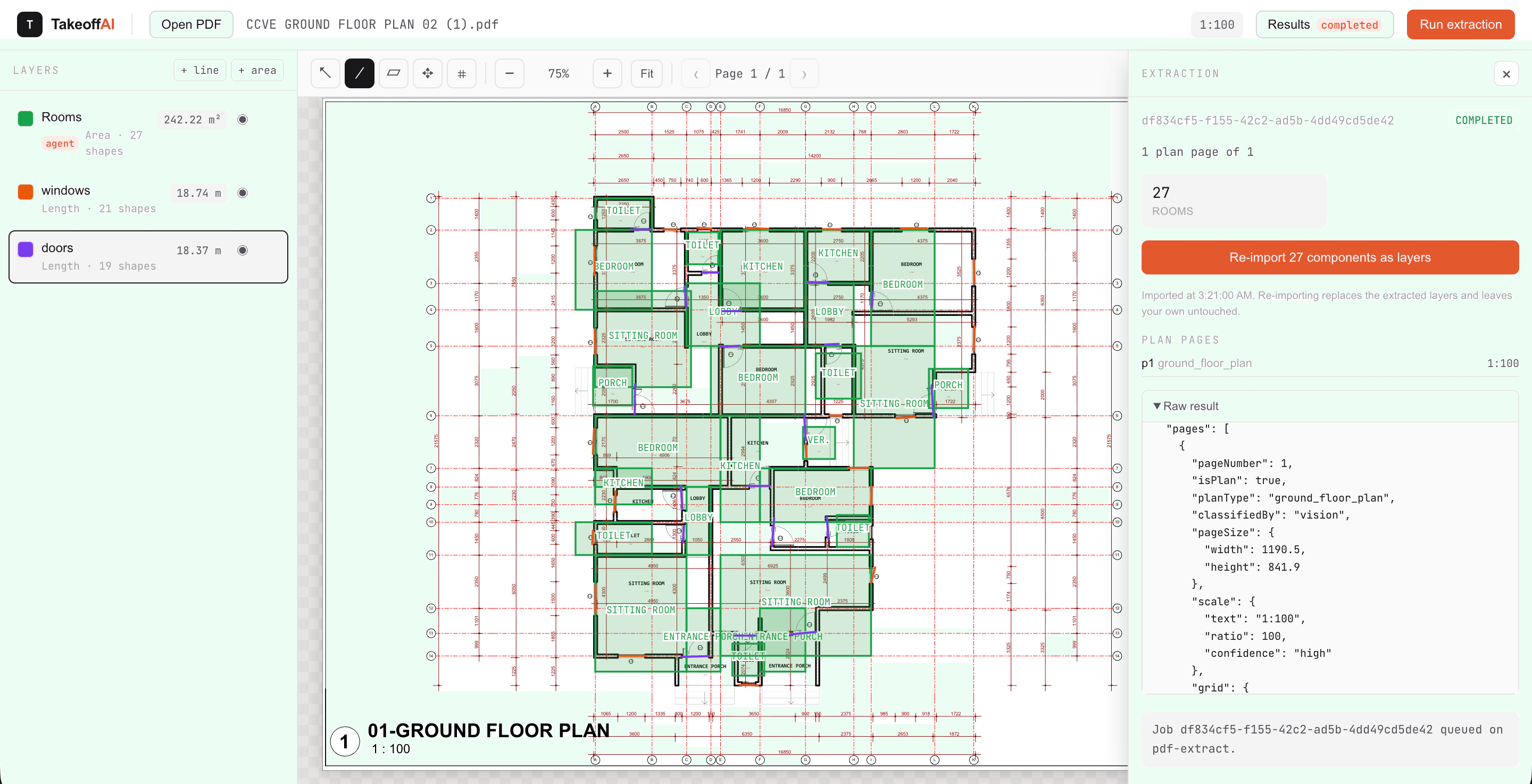
Quantities are attached to shapes you can select, move, and delete. If a number looks wrong, you can point at the geometry that produced it — which is what makes a takeoff defensible in a review meeting.
Quantity takeoff, automated
TakeoffAI reads vector-based AEC drawings, then hands you editable line and area layers with a precise Bill of Quantities. Every quantity traces back to the sheet, so review takes minutes instead of an afternoon with a scale rule.
How it works
Drop in a vector plan PDF. Pages render locally in the browser, then are stored securely on our server
The Agent pulls text spans, line segments, and curves from each page, infers the drawing data, and identifies walls, rooms, and other engineering elements.
Results land as annotation layers over the sheet. Recalibrate the scale using any known dimension, then review before moving on.
The Agent computes final dimensions and counts, then presents a Bill of Quantities you can export in any standard format.
What you get
Quantities are attached to shapes you can select, move, and delete. If a number looks wrong, you can point at the geometry that produced it — which is what makes a takeoff defensible in a review meeting.
Draw a line over any known dimension, type its real length, and every measurement on the sheet re-derives instantly.
Polylines total their length; closed regions total their area with the shoelace formula. Both read in mm, m, or m².
Measurements come from the PDF’s own line segments and coordinates, not from pixels guessed off a raster image.
Jump between pages from a thumbnail rail, and filter down to only the sheets that carry annotations.
Capabilities
What the pipeline handles is exactly what's on your sheet, nothing assumed. Upload one and check the totals yourself.
Built for AEC teams who need to see the detailed workflow, not just numbers.